
Cursor movement
A surface to explore.
Move your finger across the trackpad. The selected material shapes the tactile pulses and optional sound that follow.
FeelMyMac adds small tactile pulses as you move, scroll and tap. Choose a material to shape the sensation. Add sound if you want.


Choose a material in the app. As your finger moves, its pattern becomes small pulses you feel through the trackpad.
That’s haptic feedback: a physical response to a gesture you already know.
Explore the sound and visual preview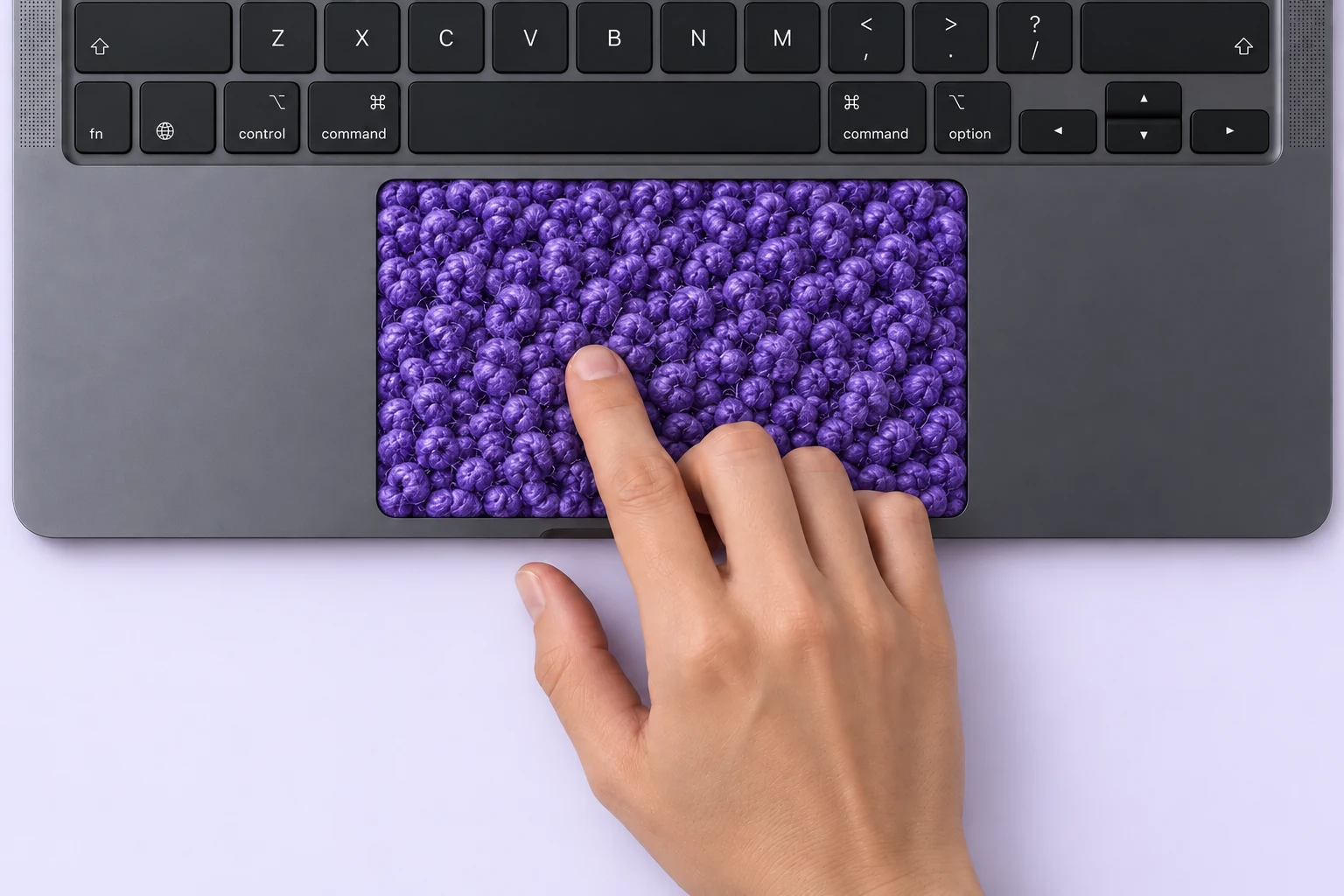
No new gestures to learn
Keep using your Mac as usual. Choose which gestures respond, adjust the intensity, and leave the rest just as it is.
Cursor movement
Move your finger across the trackpad. The selected material shapes the tactile pulses and optional sound that follow.
Two-finger scrolling
Feel the material pattern as you travel through a page. Adjust the feedback to a level that is comfortable for you.
Tap-to-click
Add a tactile cue when you tap. Switch it on independently from movement and scrolling.
Optional audio
Control material and click sounds separately. The full license also adds keyboard sound as you type; keyboard feedback is audio only.
Sound is part of the experience, too
Start the preview, then move, tap or type inside the surface to explore the accompanying sounds.
This is a sound and visual preview. To feel physical feedback through your trackpad, try the app on a compatible Mac.
A surface to explore.
Choose “Start preview” to hear the browser preview.
Inside FeelMyMac
Choose a material, adjust the strength, and switch on the gestures and sounds you enjoy. All from one small app on your Mac.
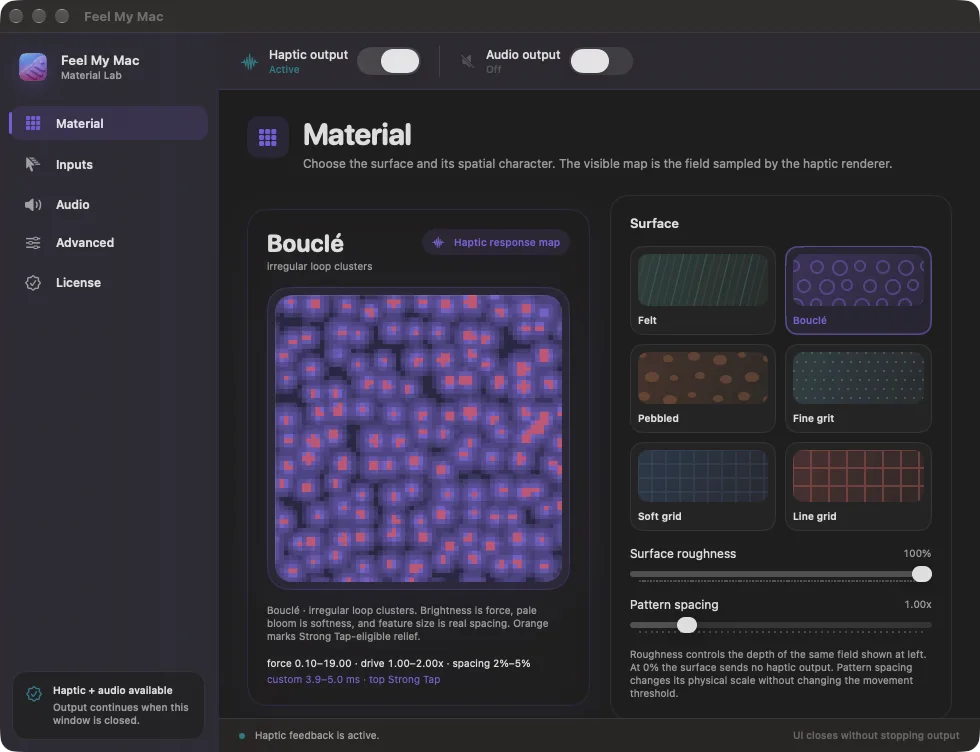
01 / Material
Start with Felt, Bouclé, Pebbled, Fine grit, Soft grid or Line grid. Then tune roughness and pattern spacing while the response map shows how the surface will be sampled.
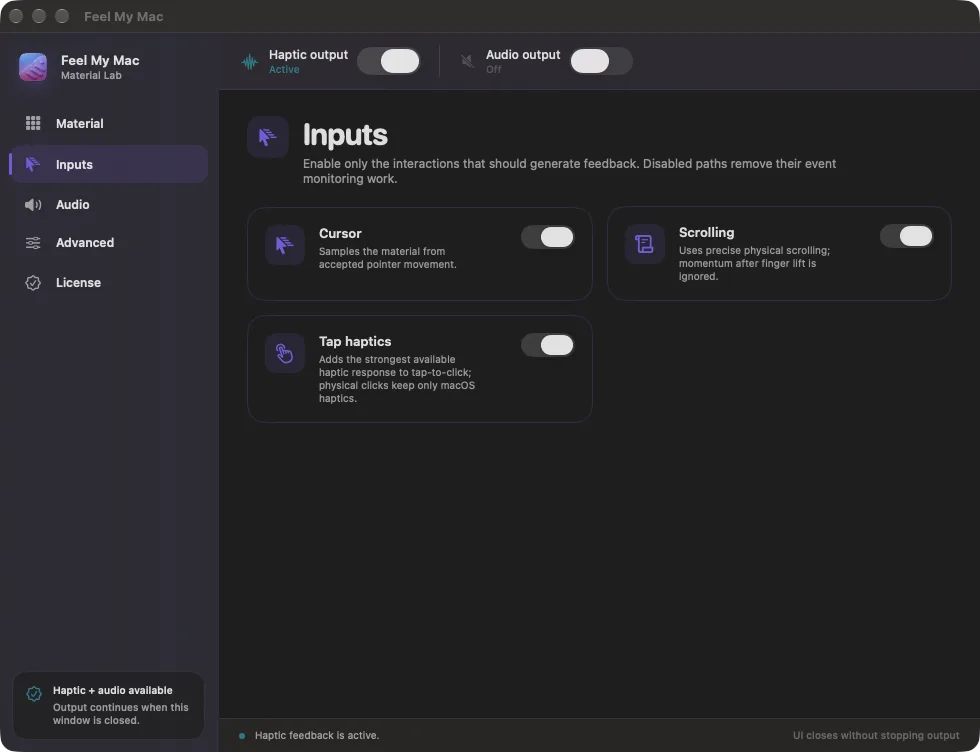
02 / Inputs
Enable cursor movement, scrolling and tap haptics independently. Anything switched off is removed from monitoring, so the app responds only to the interactions you choose.
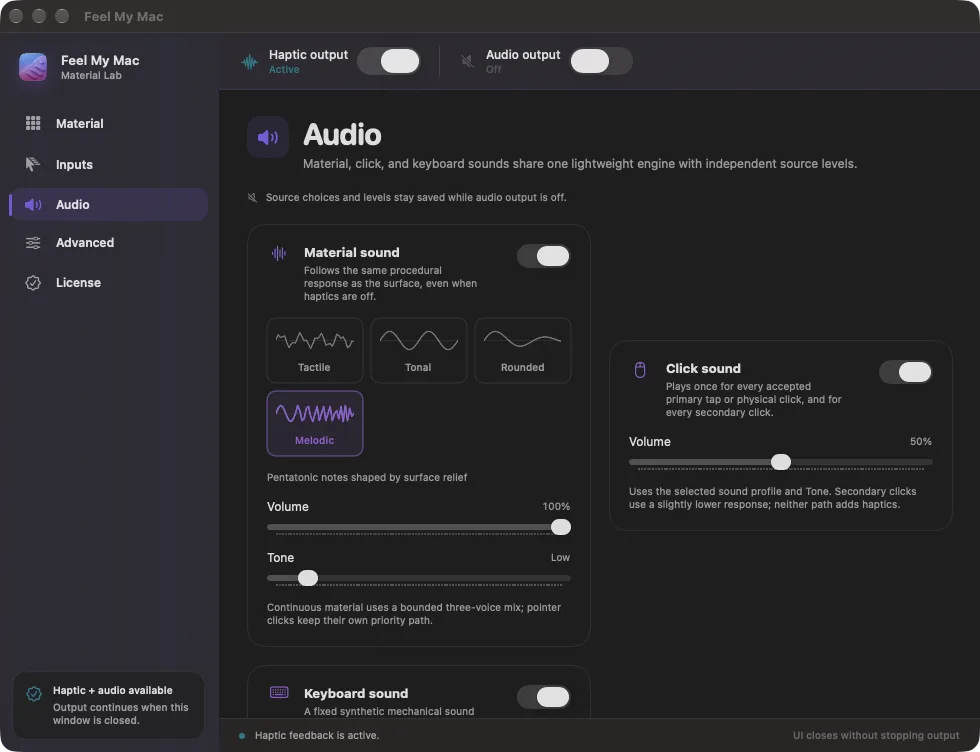
03 / Audio
Shape material, click and keyboard sounds separately. Choose a sound profile, then balance volume and tone without changing the haptic setup underneath.
Before you install
FeelMyMac checks your connected trackpad on your Mac. Haptic and Material controls become available when a compatible device is detected.
The app is available in English, Italian, Spanish, German, French, Japanese, Simplified Chinese, Traditional Chinese.
Processed on your Mac
FeelMyMac processes enabled interactions locally to create feedback. We do not receive app-usage analytics, interaction history or diagnostics from the app.
Read the privacy noteUseful details
The free demo includes Felt and Bouclé, movement, scrolling and tap feedback, comfort controls, and the Melodic sound profile. Use them offline with no time limit. Other materials, sound profiles, adjustable spacing and tone, and keyboard sound require the full license.
The demo has no time limit and works immediately offline. There is no online activation, countdown or renewal. Premium options stay locked until you activate a full license; there are no premium previews in the demo.
No account, email address or payment card is needed for the demo, and there is no automatic charge. Buying a full license uses the normal checkout. Activate the key in the same installation to unlock every current feature and keep your settings.
FeelMyMac brings tactile surfaces and integrated sound feedback to compatible pointer interactions. It is designed to make scrolling, taps, and typing feel more present without changing the workflow you already know.
Yes. FeelMyMac includes its own audio feedback layer alongside the tactile experience, so the app can add a sound dimension directly to the interaction.
Cursor movement and precise two-finger scrolling can travel through the selected material surface and its matching sound. Tap-to-click can add one haptic cue, primary and secondary clicks can play the selected click sound, and non-repeating key presses can play the independent keyboard sound. Each path has its own control.
FeelMyMac requires macOS 15.1 or later. The universal app includes arm64 and x86_64, but haptic and Material feedback are currently validated only on Apple-silicon Macs after a compatible trackpad is verified locally. Independent Click and Keyboard sound can also run on supported Intel Macs.
macOS uses Accessibility permission to let FeelMyMac respond to the interactions you enable, including pointer movement and keyboard sound. Those events are processed on your Mac to produce feedback, not sent to us.
FeelMyMac for macOS
Discover how a small response can change the way your trackpad feels.
Two materials and one sound profile, offline with no time limit. No email or card. Explore the free demo.